FEN to image
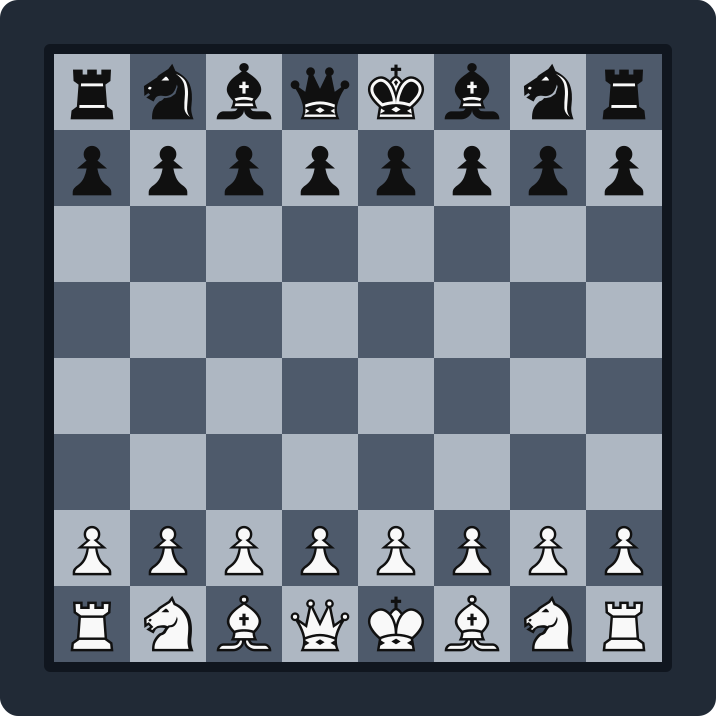
To turn a FEN into an image, paste the FEN string into the ChessVG editor, choose a theme and piece set, then export a PNG or SVG. It is free, needs no account, and adds no watermark — every image is generated locally in your browser, so your positions never leave your device. This page explains what a FEN is, how to convert one to a chess board image, and when to pick PNG versus SVG.
Key takeaways
- Paste a FEN into the editor and the position loads instantly.
- Export a high-resolution PNG at any size, or a vector SVG.
- PNG suits social media and video; SVG suits blogs and print.
- Transparent backgrounds let you overlay the board anywhere.
- Free, no signup, no watermark, nothing uploaded.
What is a FEN?
FEN (Forsyth–Edwards Notation) is a compact one-line text description of a chess position — where every piece sits, whose turn it is, and the castling and en-passant state. Lichess and Chess.com both expose the FEN of any position on their analysis boards, so it is the standard way to move a position from one tool to another without a screenshot. ChessVG reads that FEN and redraws the position as a clean, styled image.
How to convert a FEN to a chess board image
- Copy the FEN string (on Lichess or Chess.com it sits under the analysis board), or grab it live with the ChessVG browser extension.
- Open the ChessVG editor and paste the FEN into the position field — the board updates instantly.
- Pick a theme and piece set, then fine-tune the square colors, frame, padding, and background to match your brand.
- Open the Export tab and choose PNG, SVG, or a one-click social-media size, then download.
PNG or SVG — which should you export?
PNG is a pixel image at a fixed size, ideal for social posts, YouTube thumbnails, and video where you want an exact resolution. ChessVG exports PNG at any square size, well beyond 4K. SVG is a vector that scales infinitely without any blur, which is the better pick for blog diagrams, books, and anything that might be resized or printed. When in doubt, PNG for screens, SVG for print.
FAQ
How do I convert a FEN to an image?
Open the ChessVG editor, paste your FEN string into the position field, pick a theme and piece set, then open the Export tab and download a PNG or SVG. The whole thing runs in your browser — nothing is uploaded.
Can I export a FEN as a PNG?
Yes. PNG export is available at any square resolution, so you can go well beyond 4K for print or scale down for a small avatar. PNG is the best choice for social media, thumbnails, and video.
Can I export a FEN as an SVG?
Yes. SVG is a true vector format that stays razor-sharp at any size, which makes it ideal for blog diagrams, books, and print where the image may be resized.
Can I make a FEN image with a transparent background?
Yes. Choose the transparent background option before exporting a PNG or SVG, and the board renders with no backdrop so you can overlay it on a video, stream, or your own design.
Does the FEN need to be a legal position?
No. ChessVG is an image tool, not a chess engine, so it will render illegal or artificial positions too. That is useful for teaching diagrams. You can also drag pieces to build a position by hand instead of pasting a FEN.
Related
Prefer to build a position by hand? The chess diagram generator lets you drag pieces and style the board from scratch. You can also grab a position straight from a game with the Lichess or Chess.com extension, or read the FAQ for export details.
← Open the editor